
How to Import the Program for a Vertical Robot Arm Carton Erector ?
2025-12-19
1. Insert the USB flash drive into the computer.
Please note that the USB drive capacity should preferably not exceed 16 GB; the smaller, the better.
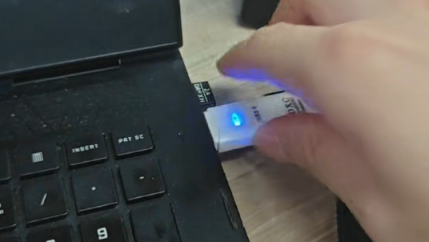
2. Format the drive.
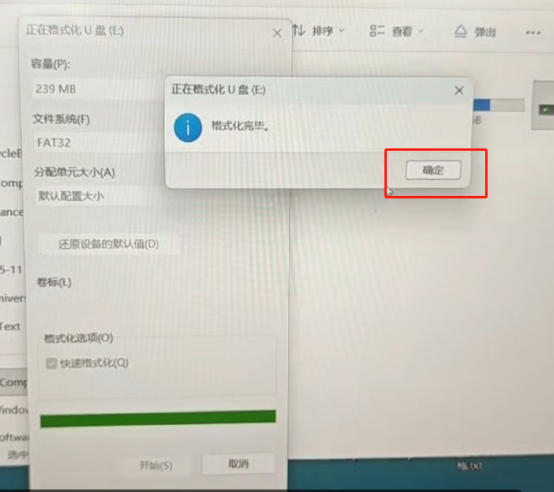
A)Right-click and select “Format”.
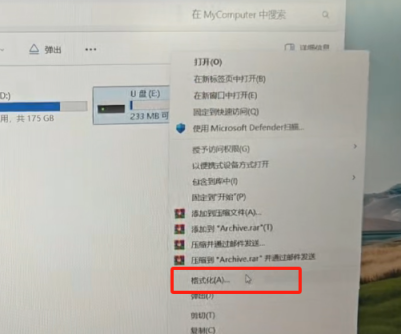
B) File system selection: FAT32
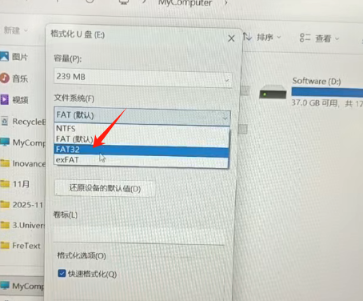
C) Allocation unit size: “Default configuration size”

D)Click “Start”, then select “Confirm”.
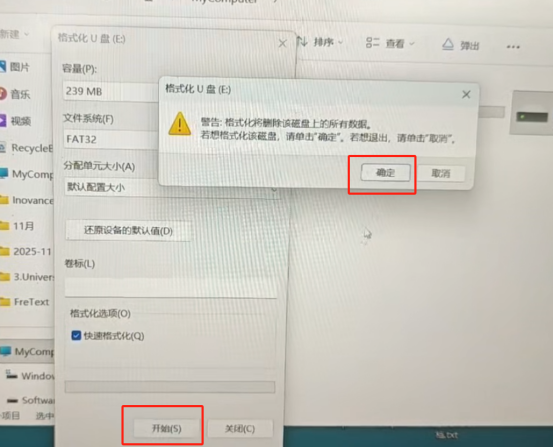
E)After formatting, select “Confirm”
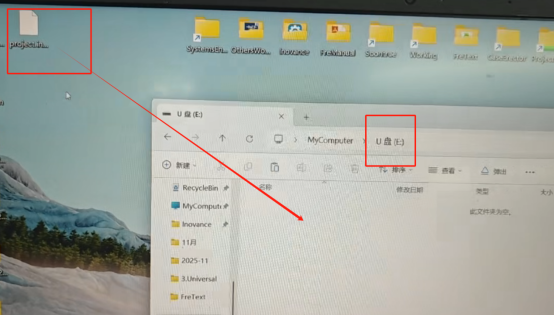
3. Open the USB flash drive and copy the “project251213” file to the USB drive.
Please note that the “project251213” compressed file does not need to be extracted.
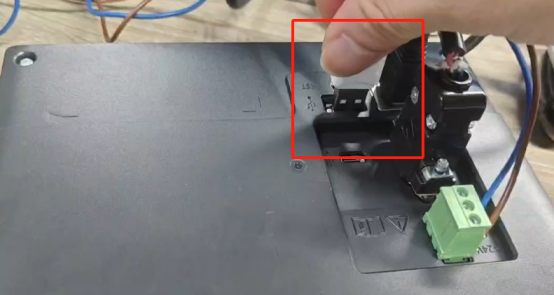
4. Insert the USB flash drive into the back of the touchscreen.
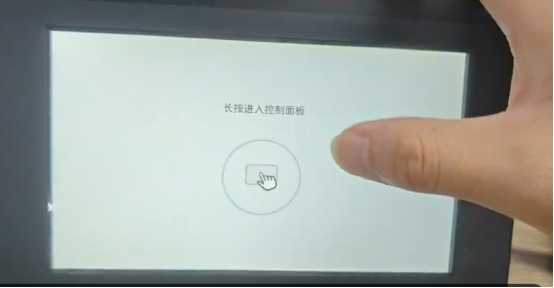
5. After powering on, press and hold the screen to enter the control panel.
6. Enter the password: 3101, then tap the “Login” button on the right.

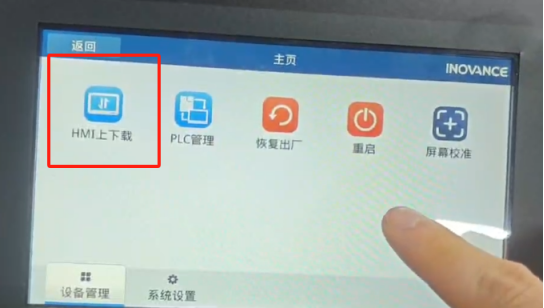
7. After logging in, tap the “Download to HMI” button.
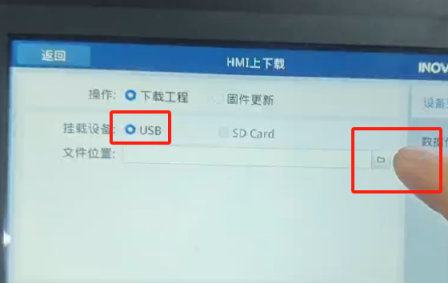
8. Select “USB”, then tap the button with the file icon.
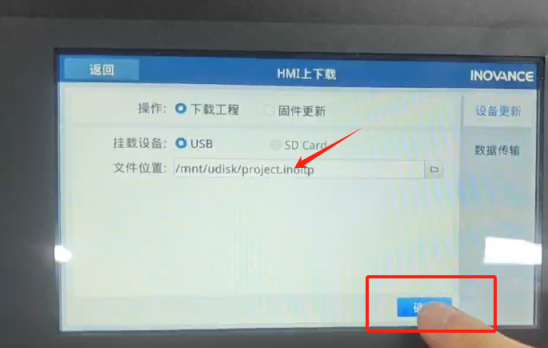
9. Select the file “project251213”, then tap the “Confirm” button in the lower right corner.

10. Tap “Confirm”.
11. Tap “Yes” to download the project.
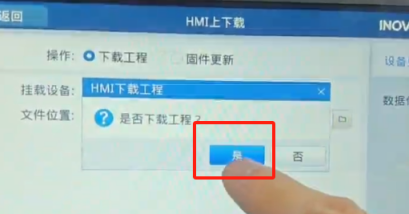
12. Wait for the HMI to update. Once the update is complete, the system is ready for use.

Before starting production, it is recommended to verify that the HMI program version matches
the machine configuration and to perform a basic functional check.
If any abnormal behavior occurs during or after the program import, please stop the machine
immediately and contact technical support for further assistance.


